Instant price finder
Customers see a starting price, then send a request you can price
The problem it solves
People want a price before they'll call. And when they do get in touch, you still have to drive out just to see the job.
Customers see a starting price as soon as they pick the job, then send their request in four short steps. It reaches you complete, with the address and photos. Not at the job yet? They get a private link by email, add photos from the job later, and the photos join the same request.
How it works
A price straight away
They tap the job, or search for it, and see its starting price. The address fills in as they type, and the town sets the travel zone.
Photos now, or later
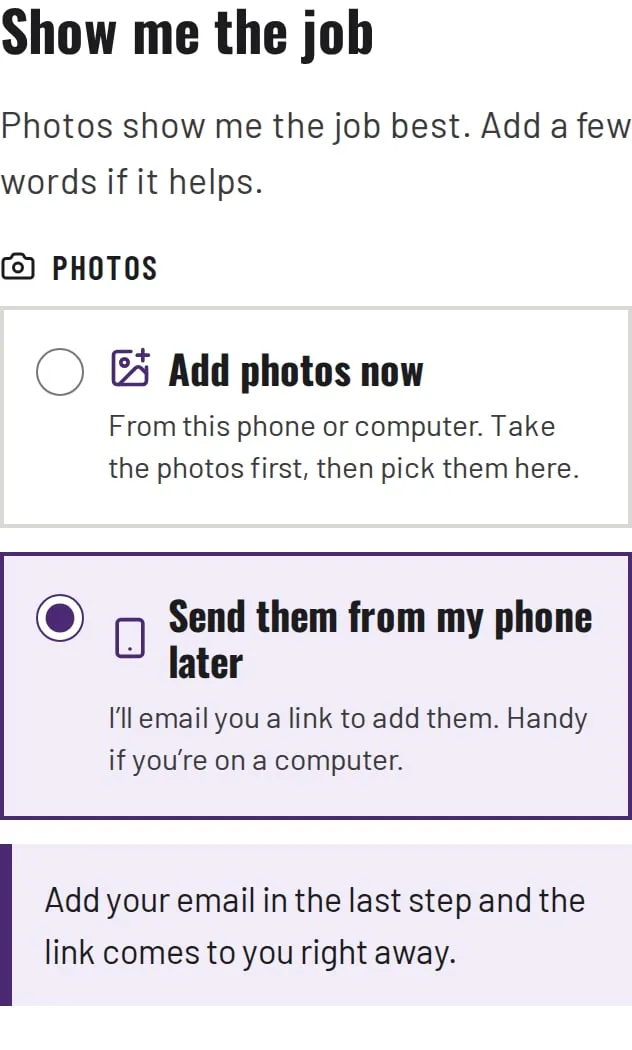
Up to six photos in the form, or a private emailed link to add them from the job. Either way they join the same request.
Checked and saved
A spam check runs on the server, then the request is saved with its own number and the photos are stored privately.
It reaches you complete
One email with the job, the address and travel zone, the price they saw and every photo. More photos arrive as one email, not ten.
You price it
Reply with a fixed price from your inbox, or tap to text them.
See the whole system, step by step
How a quote request becomes a paid job
Tap a step to see what happens, and what it runs on.
- either one
- all at once
- later
- path to this step
- Built and in use
- Can be added for you
Customer
Your software
You
Customer
Your software
You
Customer
Your software
You
01found
02price
03photos
04checked
05sent
06at the job
07attached
08priced
09quote
10signed
11invoiced
12paid
13follow-up
You're on a job. The first steps run without you.
01 · Customer
Found on Google
Built and in use
What happens
They find your Google profile. Its booking button opens the price finder on your own website.
Under the hood
- Google Business Profile booking link
- Cloudflare Pages
02 · Customer
Price finder
Built and in use
What happens
They tap the job they need, or search for it, and see its starting price straight away. Google suggests the address as they type. If suggestions are off, a plain box still works, and the town sets the travel zone.
Under the hood
- Prices from your own price list
- Google Places address lookup, asked by the server
- Daily lookup limits
- Cloudflare Pages Functions
03a · Customer
Photos now
Built and in use
What happens
Up to six photos, added right in the form. Each one is shrunk in their browser before it's sent, which also drops camera and location details from any photo the browser can read.
Under the hood
- Private file storage (Cloudflare R2)
- File types checked on the server
03b · Customer
Photos later
Built and in use
What happens
Not at the job yet? They give their email and send the request now. The photos can follow from the job, from a private link.
Under the hood
- A private link that expires after 14 days
- Private file storage (Cloudflare R2)
04 · Your software
Checked and saved
Built and in use
What happens
A spam check runs on the server, then the request is saved with its own number and the photos are stored privately. It's built so one failure doesn't lose a request: if the database is down, your email still goes, and if email is down, the request is saved and flagged.
Under the hood
- Cloudflare Turnstile, checked on the server
- SQL database (Cloudflare D1)
- Tested live: 29 of 29 checks passed (October 2026)
05 · Customer
Their confirmation
Built and in use
What happens
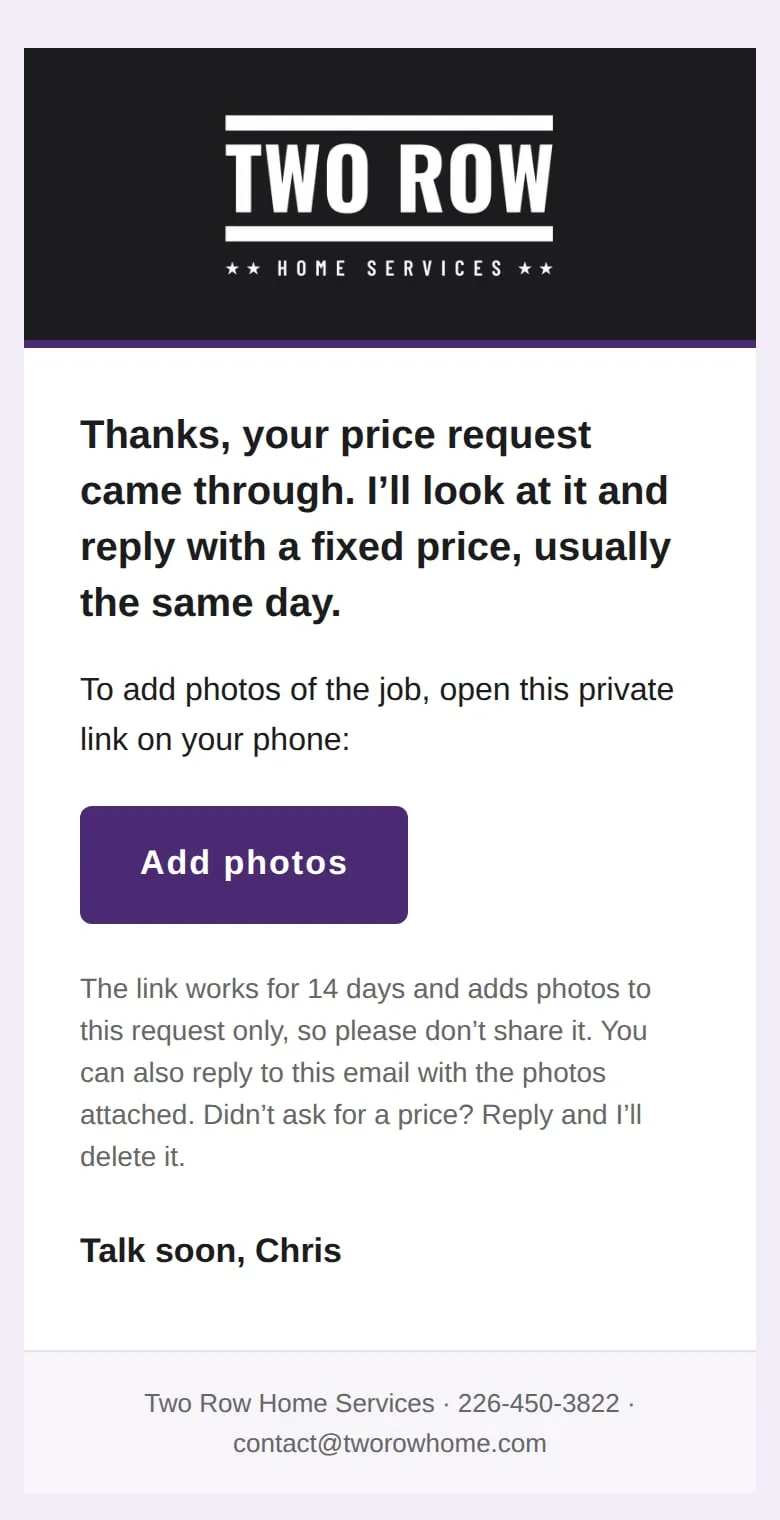
They see a thank-you page straight away. If they gave an email, they get one confirmation with a big Add photos button. The link works for 14 days and only adds photos to this request.
Under the hood
- Email through Resend, signed with DKIM
- A 256-bit private link, kept out of server logs
05 · You
Your job summary
Built and in use
What happens
One email with the request number, the job, the address and travel zone, the price they saw, and their photos. Reply, and it goes to the customer.
Under the hood
- Email through Resend, signed with DKIM
- Retries that never send twice
06 · Your software
A reminder if no photos come
Can be added for you
What happens
No photos a day later? One short email with a fresh link. It stops as soon as photos arrive or you mark the job handled, and it is only ever sent once.
Under the hood
- A scheduled job
- Stops itself when photos arrive
06 · Customer
At the job, they open the link
Built and in use
What happens
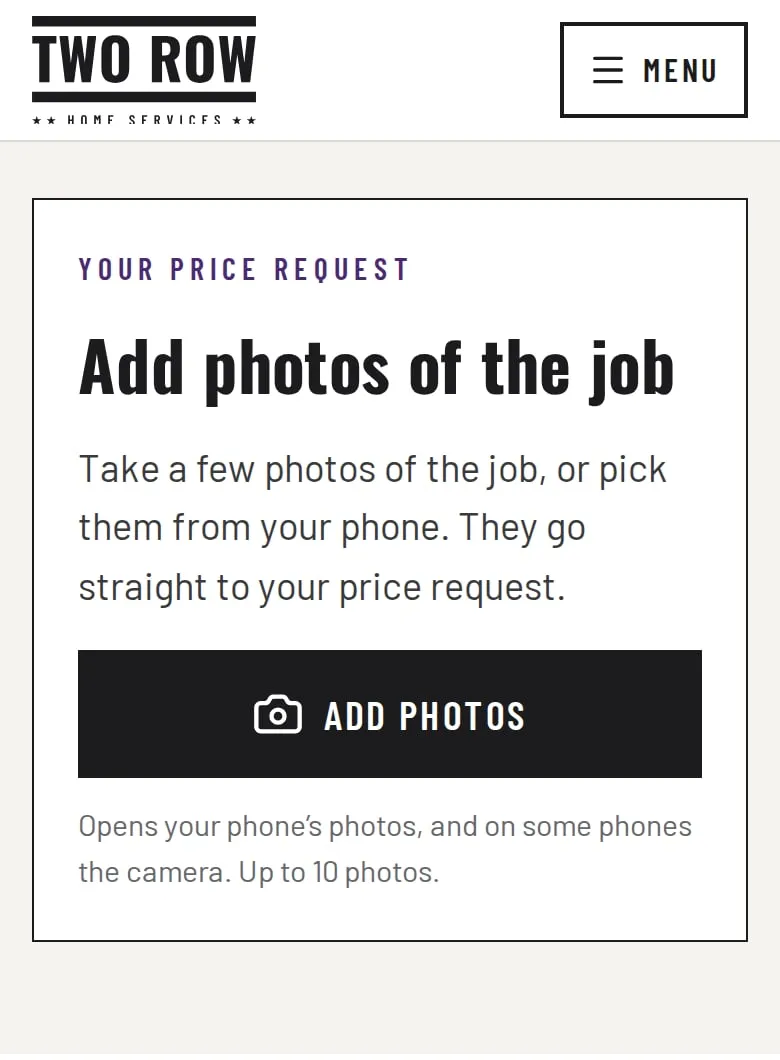
One button opens the phone's photos, and on many phones the camera. Each photo is shrunk on the phone before it's sent, with a progress bar and a thumbnail of each one that arrived.
Under the hood
- Photos shrunk on the phone
- Camera and location details removed from any photo the phone can read
07 · Your software
Added to the same request
Built and in use
What happens
The link knows which request it belongs to, so the photos join that request. Up to 10 photos per link, and a file that isn't a photo is refused. If the link has run out, the page says to reply to the email with the photos instead.
Under the hood
- Only a fingerprint of each link is stored
- File types checked from the file itself
- Private file storage (Cloudflare R2)
07 · You
More photos for that request
Built and in use
What happens
You get one email headed with the request's number, with the new photos attached. Photos added close together arrive together. Reply, and it goes to the customer.
Under the hood
- Uploads close together sent as one email
- Retries that never send twice
08 · You
You look and price it
Built and in use
What happens
Everything in one place: the job, the address and travel zone, the price they saw and every photo. Reply with a fixed price, or tap to text them.
Under the hood
- Reply-To set to the customer
- A tap-to-text button
09 · You
Approve the quote
Can be added for you
What happens
You check the price, change it if the job needs it, and send the quote with one tap from your phone.
Under the hood
- A quote page made from the request
- Starts from your own price list
09 · Your software
Sent for signature
Can be added for you
What happens
The quote goes to the customer as a numbered PDF, with a link to read and sign it. No printing or scanning.
Under the hood
- E-signature with a tamper-evident record
- Numbered PDF quotes
10 · Customer
They sign on their phone
Can be added for you
What happens
They open the link, read the quote and sign it on their phone. You both get the signed copy by email.
Under the hood
- A signing page on your own website
- The signed copy kept with the job
11 · Your software
Invoice sent
Can be added for you
What happens
When you mark the job done, the invoice is made from the signed quote and sent. Nothing is typed twice.
Under the hood
- Numbered PDF invoices
- Made from the signed quote
12 · Customer
They pay
Can be added for you
What happens
They pay the way you already take payments, with the invoice number as the reference.
Under the hood
- Your payment details on every invoice
- Card payments through a provider, if you take cards
12 · Your software
Payment matched and filed
Can be added for you
What happens
The payment is matched to its invoice, marked paid and filed by job and month, ready for your bookkeeper.
Under the hood
- Your accounting software's API, where it has one
- Records filed by job and month
13 · Your software
A review request
Can be added for you
What happens
After the job, a short thank-you email with a one-tap link to your Google review page. One reminder at most, and an unsubscribe link in each one.
Under the hood
- A scheduled job
- One-click unsubscribe
13 · You
Weekly summary
Can be added for you
What happens
Once a week, one email: new requests, quotes sent and signed, and invoices paid or still owing.
Under the hood
- A scheduled job
- Counts read from the job records
See it working
What it connects to
- Your Google profile's booking link
- Google address lookup
- Your inbox and your phone
- Cloudflare hosting, database and storage
Under the hood
- Cloudflare Pages Functions on Cloudflare's network, with an SQL database (Cloudflare D1) and private file storage (Cloudflare R2)
- Google Places address lookup, asked by the server so your key and the visitor's address stay private
- Cloudflare Turnstile spam check, verified on the server
- Photos shrunk on the phone, with camera and location details removed; file types checked from the file itself
- Private photo links: 256-bit, expire after 14 days, stored only as a fingerprint and never written to a server log
- Email through Resend, signed with DKIM; uploads close together sent as one email, and a retry never sends twice
- Tested live: 29 of 29 checks passed (October 2026)
Who else it suits
Trades and home services, cleaners, landscapers, movers: anyone who prices a job from photos.
Ready when you are.
Answer a few quick questions and I'll come back with what I'd recommend and what it would cost.
Get started